Your laboratory instruments, one single link to your LIS

IvdLink is communication middleware for clinical laboratories. It talks to each instrument in its own protocol and passes results, quality controls and test orders to your laboratory information system.

See connected instruments Request a 7-day trial
Middleware that links instruments and LIS

Every instrument has its own language and link. Without middleware, each new device means another interface to develop in the LIS. With IvdLink, the LIS only has one format to know.

  1. The instrument sendsIn ASTM, HL7 or a proprietary format, over a serial, TCP, UDP or file link.
  2. IvdLink translatesIt decodes the message, applies your code tables and stores everything on the workstation.
  3. The LIS receivesAlways the same format, by web service, with automatic retries in case of failure.
  4. The LIS answersThe instrument receives the tests to run for each tube, or its worklist in advance.

Reliability and day-to-day monitoring

A result must never be lost, and an instrument must never be kept waiting.

No result lost

Each result is stored on the workstation before being sent, then retried automatically until the LIS has received it, even after a restart.

Instrument never held up

If the LIS is slow to answer a request, the instrument receives "no test" within the time it requires.

Quality controls

Recognised and sent as such, with the name, lot and target values when the instrument provides them.

Microbiology

Culture, organisms, identification and susceptibility testing: MIC, S, I or R category before and after expert review, phenotypes.

Mapping tables

Test codes, specimen types, organisms and antibiotics are translated per connection, with no development.

Built-in simulator

Replay instrument exchanges and test the link to the LIS before plugging in a single cable.

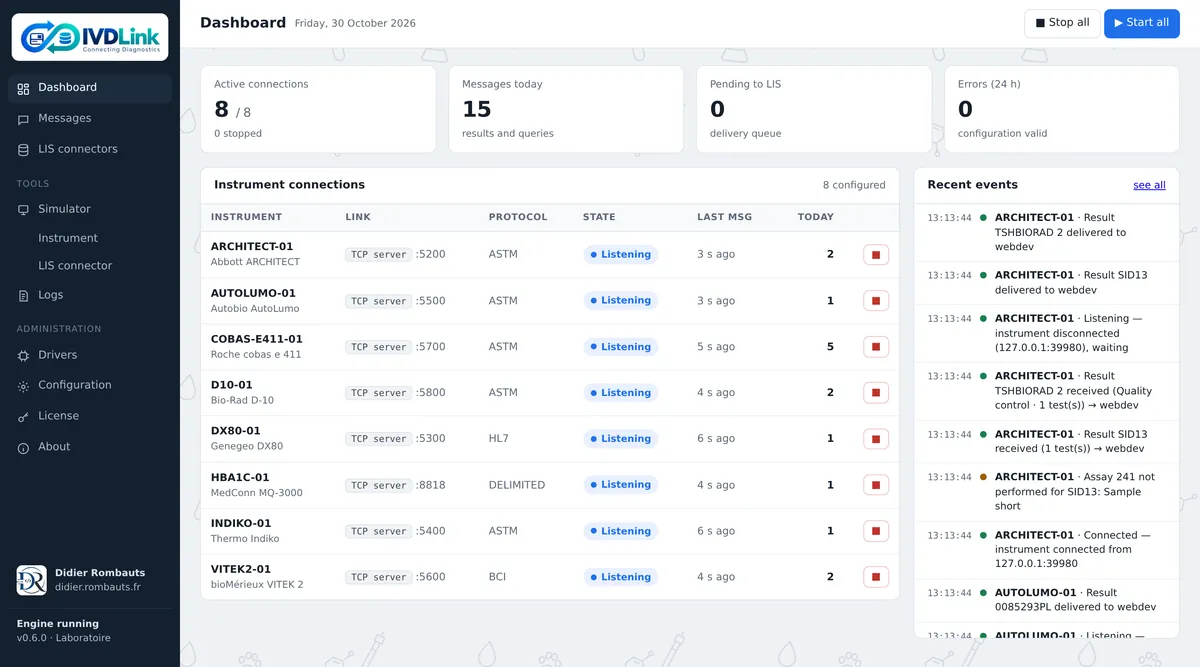
IvdLink dashboard: instrument connections, today's messages and recent events
The dashboard: status of each connection, today's activity and latest events.
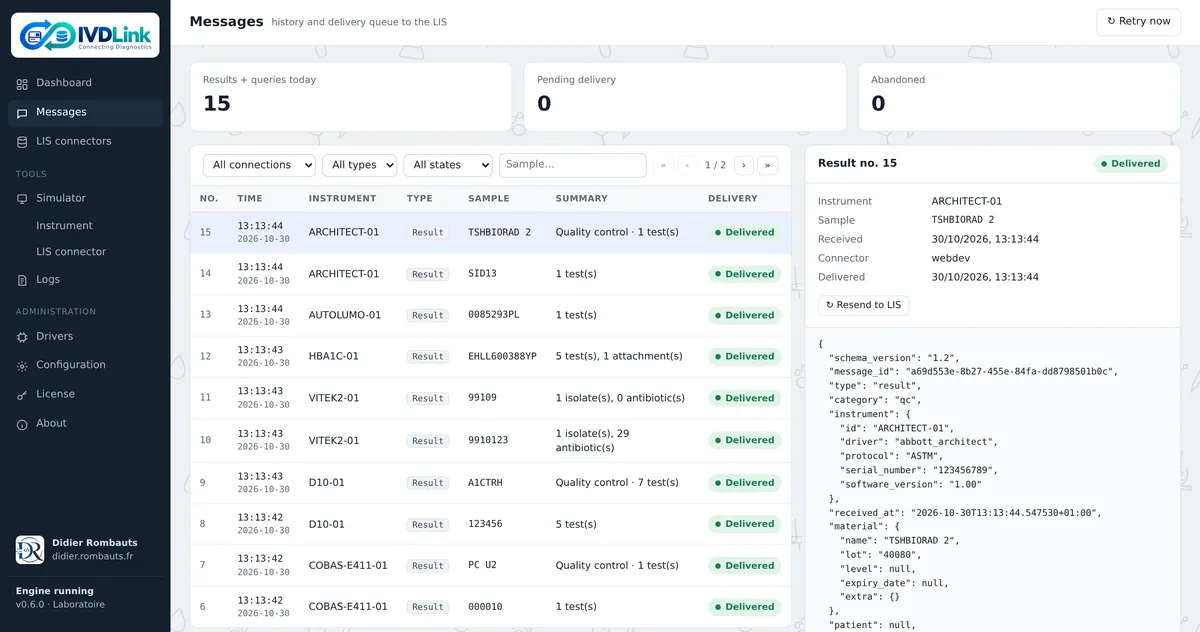
IvdLink Messages screen: searchable history, delivery state and message details
Message history: search, delivery state, details and resending to the LIS.

Connected instruments

The list of laboratory instruments supported by IvdLink, with the progress of each connection.

  • validated on the instrument, in a laboratory
  • checked against real exchanges from the instrument
  • written from the manufacturer's documentation, to be validated at installation
  • connection being written
Last updated: October 2026
InstrumentFieldLinkExchangesStatus
Abbott ARCHITECTARCHITECT i System, c SystemImmunoassay, chemistryASTM (ASI), serialResults, quality controls, query, download
Autobio AutoLumoA2000 Plus, A1000, A6000, A1800ImmunoassayAutobio ASTM, serial or TCPResults, query
bioMérieux VITEK 2 SystemsVITEK 2 Compact, VITEK 2 XLMicrobiologyBCI, serialIdentification, susceptibility testing, order download
Bio-Rad D-10D-10HbA1cASTM, serialResults per peak, quality controls by identifier
Genegeo DX80DX80HaematologyHL7 2.4, TCPResults, images, quality controls, query
MedConn MQ-3000MQ-3000HbA1cTagged format, TCPResults, chromatogram
Roche cobas e 411cobas e 411, cobas protocolImmunoassayASTM, serialResults, quality controls, query, download
Thermo Scientific IndikoIndiko, Indiko Plus, GalleryClinical chemistryASTM, serial or TCPResults, quality controls, query, download

Query: the instrument asks for the tests of a tube. Download: IvdLink sends the worklist to the instrument.

Your instrument is not listed? A driver is developed from its communication manual. A generic ASTM driver (LIS2-A2) and a frame capture mode also make it possible to get started. Compatibility is checked during commissioning, depending on the instrument, its version and its settings.

Integrates with your LIS

The LIS implements one single interface, however many instruments you have.

Reference web service

Five HTTP addresses and a documented JSON format: results, test orders, worklist and connection status. The contract can be handed as is to the LIS vendor.

Dedicated adapter

Your LIS already has its own web service? It keeps it: an adapter translates the messages on the IvdLink side, with no change on its side.

Instrument status

IvdLink reports the status of each connection and a heartbeat to the LIS, so the LIS knows which instruments are reachable.

Easy to deploy

A self-contained installation, with all configuration done on screen.

Windows, macOS, Linux

An application with its own window on a laboratory workstation, or a windowless service on a Linux server.

On-screen configuration

Connections, code tables and settings are edited in the interface, with the previous version backed up automatically.

English and French

Bilingual interface, with password-protected remote access.

Per-workstation license

Based on the number of connections. 7-day trial with all features.

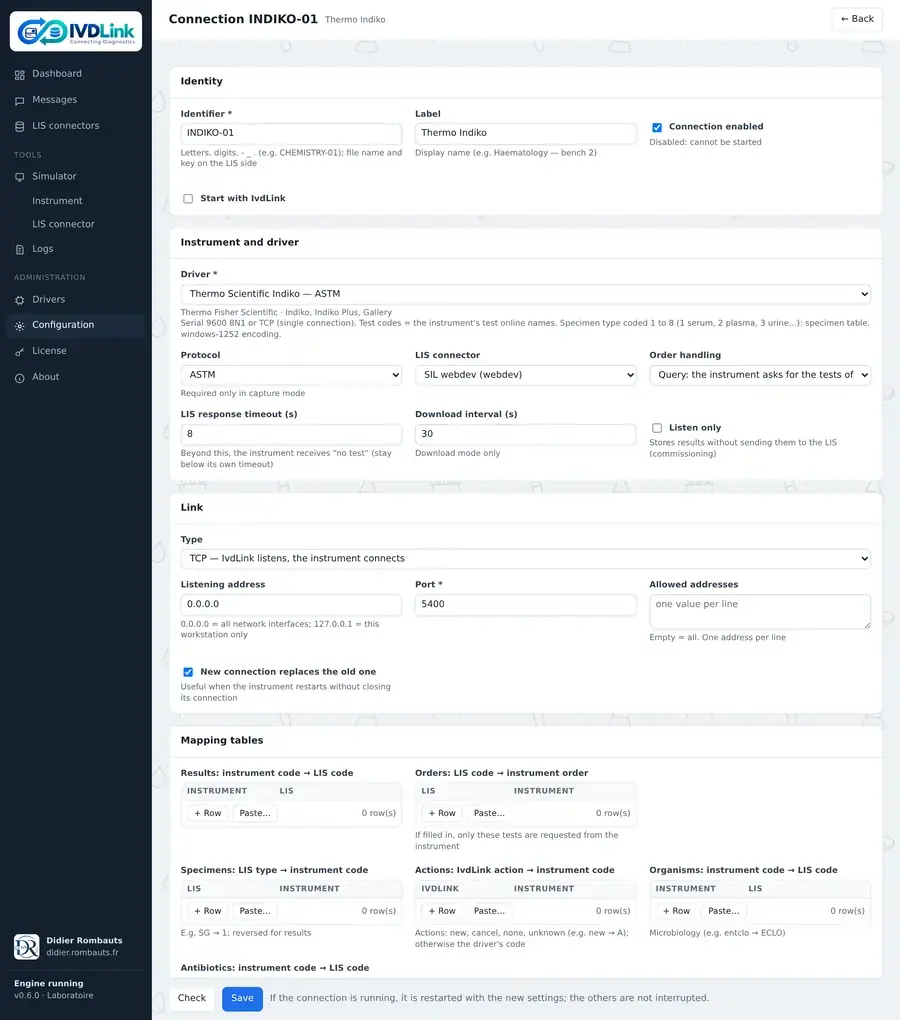
Form for configuring an instrument connection in IvdLink
Configuring a connection: driver, link and mapping tables.

Frequently asked questions

What is laboratory middleware?

It is software placed between the instruments and the laboratory information system (LIS). It talks to each instrument in its own protocol and exchanges data with the LIS in a single format.

Which protocols does IvdLink support?

ASTM (E1381, E1394, LIS1-A, LIS2-A2), HL7 v2, the ABX format and the bioMérieux BCI protocol, as well as formats specific to certain instruments, over serial, TCP, UDP or file links.

My instrument is not on the list: is that a problem?

No. A driver is developed from the instrument's communication manual. A generic ASTM driver and a frame capture mode also make it possible to get started.

My LIS has no web service: what can I do?

IvdLink offers a reference web service, described in a contract that the LIS vendor can implement. If the LIS already has its own web service, a dedicated adapter is developed.

What happens if the LIS is down?

Results are stored on the workstation and retried automatically. They go out when the LIS returns, even after IvdLink restarts.

Can I try IvdLink?

Yes, for 7 days with all features, and with an instrument simulator for testing without hardware.

Try IvdLink on your instruments

Let's talk about your instruments and your LIS. Didier Rombauts, a specialist in connecting instruments to laboratory information systems, will answer you.

Contact Didier Rombauts